Step 2: Writing your first Program
Reset ARMstamp
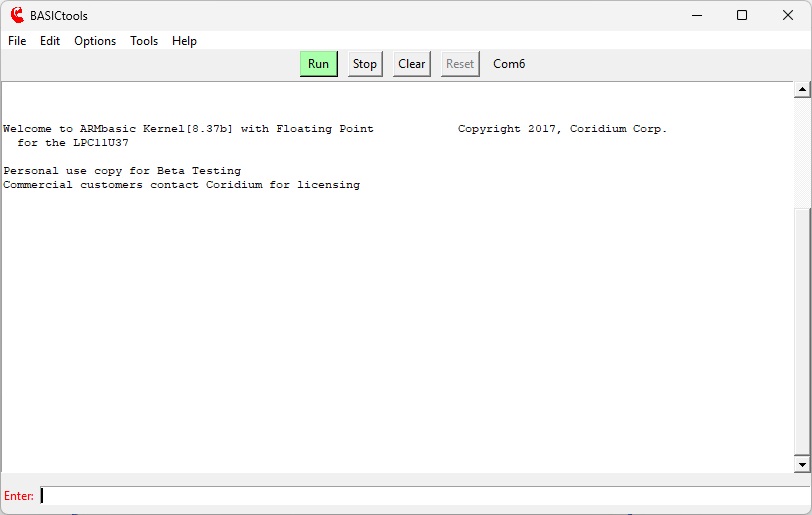 Once you launch BASICtools you should be able to communicate with the ARMstamp.
To check this, Reset the ARMstamp with the option button.
Once you launch BASICtools you should be able to communicate with the ARMstamp.
To check this, Reset the ARMstamp with the option button.
If all is connected correctly, the ARMstamp will display the welcome message, and the ARMstamp is ready to receive ARMbasic commands, which can be entered in the input window.
The traditional "Hi Mom" program
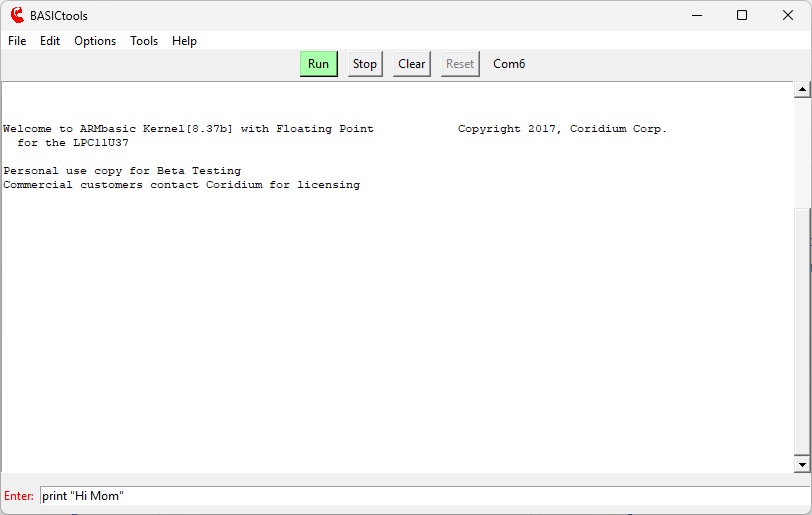
So type something like the traditional PRINT "Hi Mom".
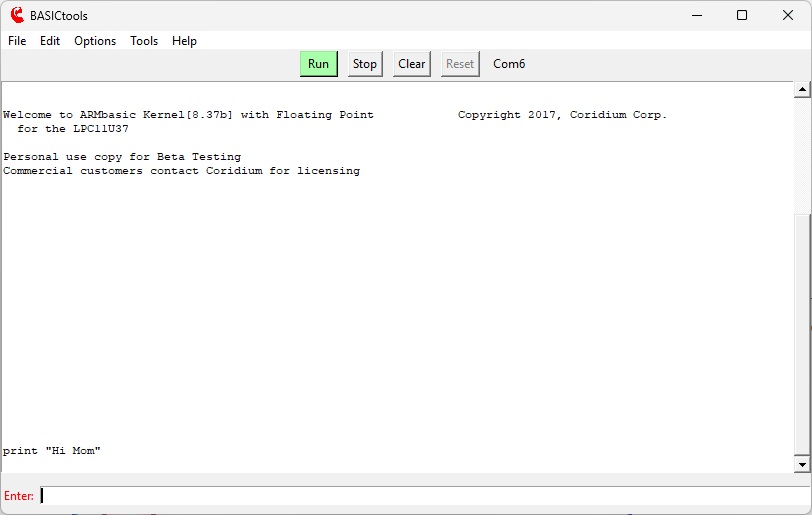
When you hit the ENTER key it will be sent to the ARMstamp and be echoed back
in the console window.
Now RUN the program
 Which you can do by either typing RUN or hitting the RUN button at the
top of the screen.
Which you can do by either typing RUN or hitting the RUN button at the
top of the screen.
And see the results
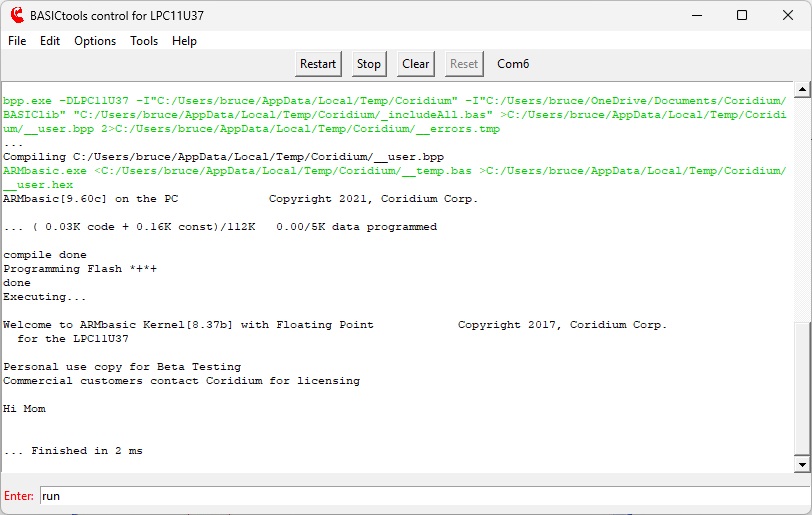 You can notice a number of things. First the program is compiled and then written into
Flash memory, which normally takes less than 1400 msec.
Next the program will be executed, as evidenced by the output of "Hi Mom" to the console.
ARMstamp also reports back how long the program executed, in this case 19 msec.
You can notice a number of things. First the program is compiled and then written into
Flash memory, which normally takes less than 1400 msec.
Next the program will be executed, as evidenced by the output of "Hi Mom" to the console.
ARMstamp also reports back how long the program executed, in this case 19 msec.